 ProEdit
 helps automate repetitive editing tasks such as cutting pauses, aligning captions, creating looks, and finding effects.
Choose a tool to see an example workflow and screenshots from the app.
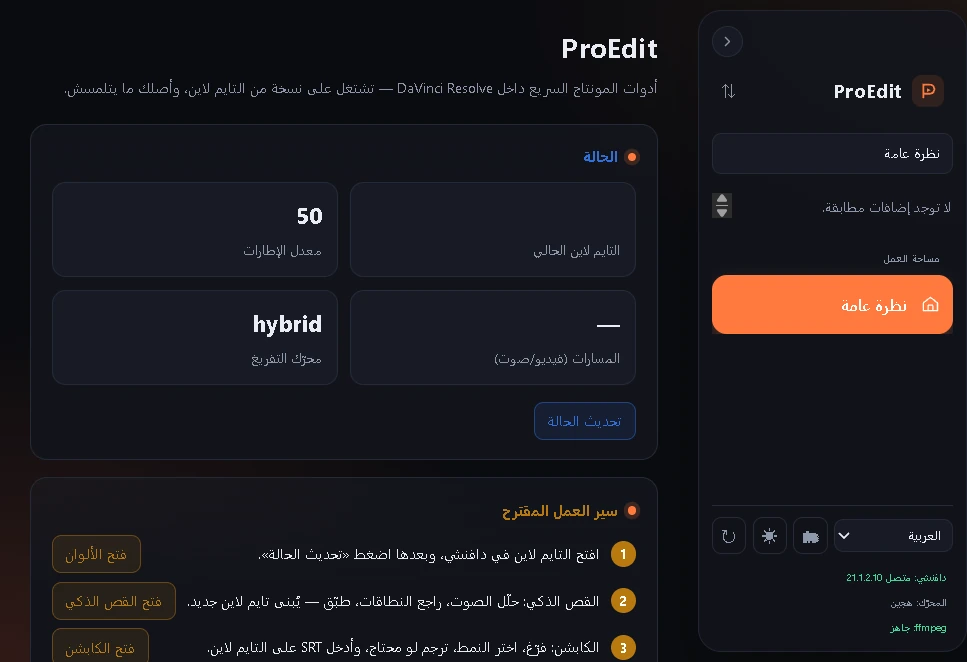
Check engine and timeline status and review the suggested workflow.
 Enlarge app screenshot
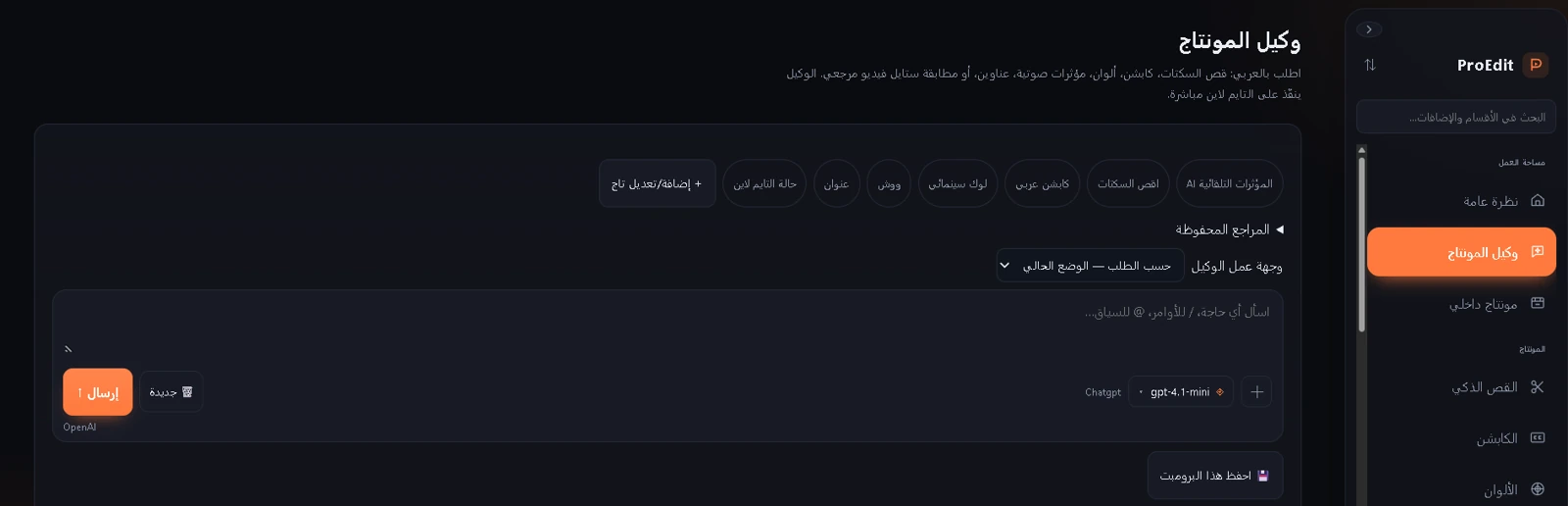
Enter an editing request, then choose a destination and model. Request cuts, captions, or color adjustments from the chat.
 Enlarge app screenshot
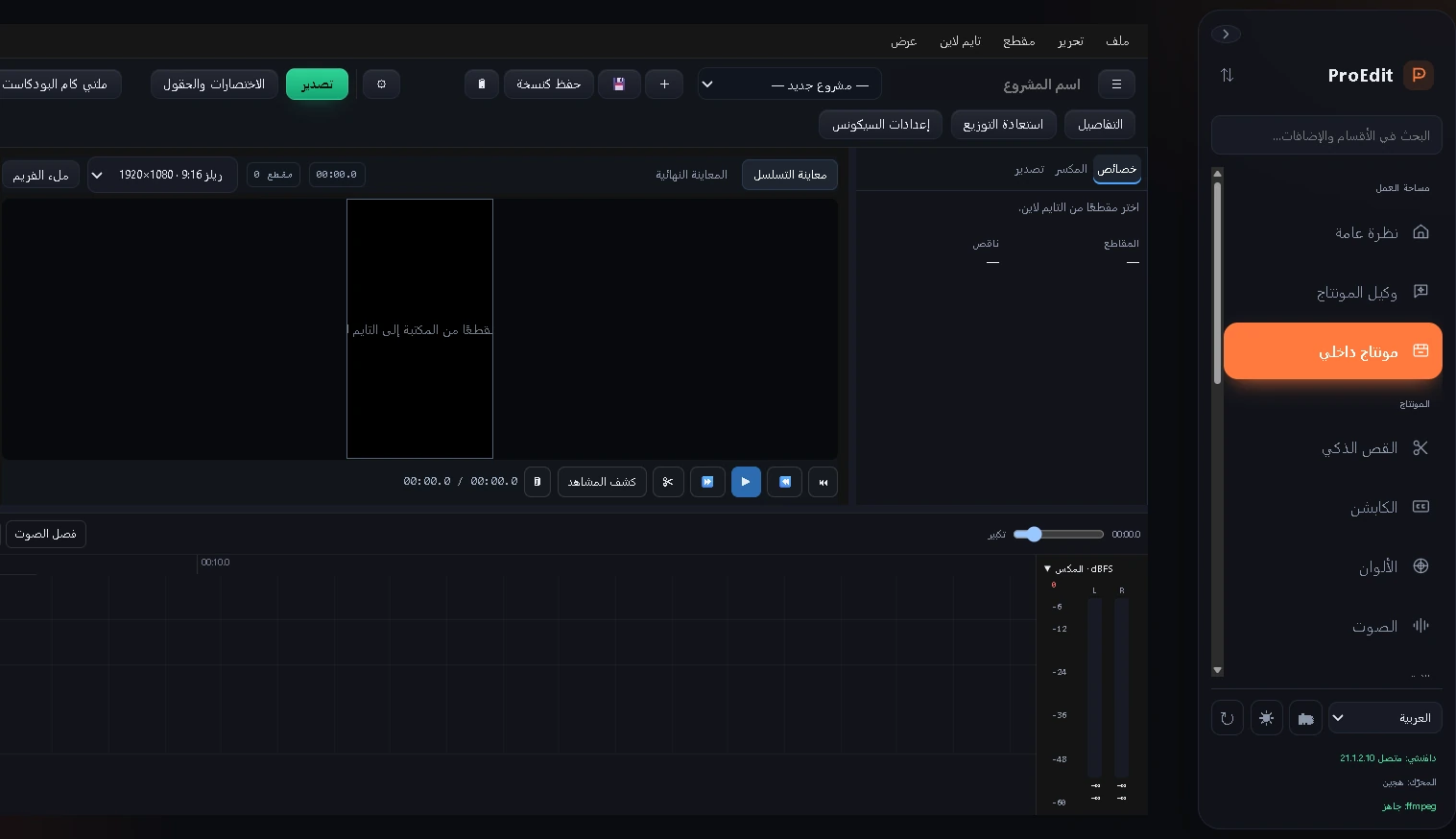
Build a sequence with video, audio, and text. Choose a vertical or landscape format and preview the edit before export.
 Enlarge app screenshot
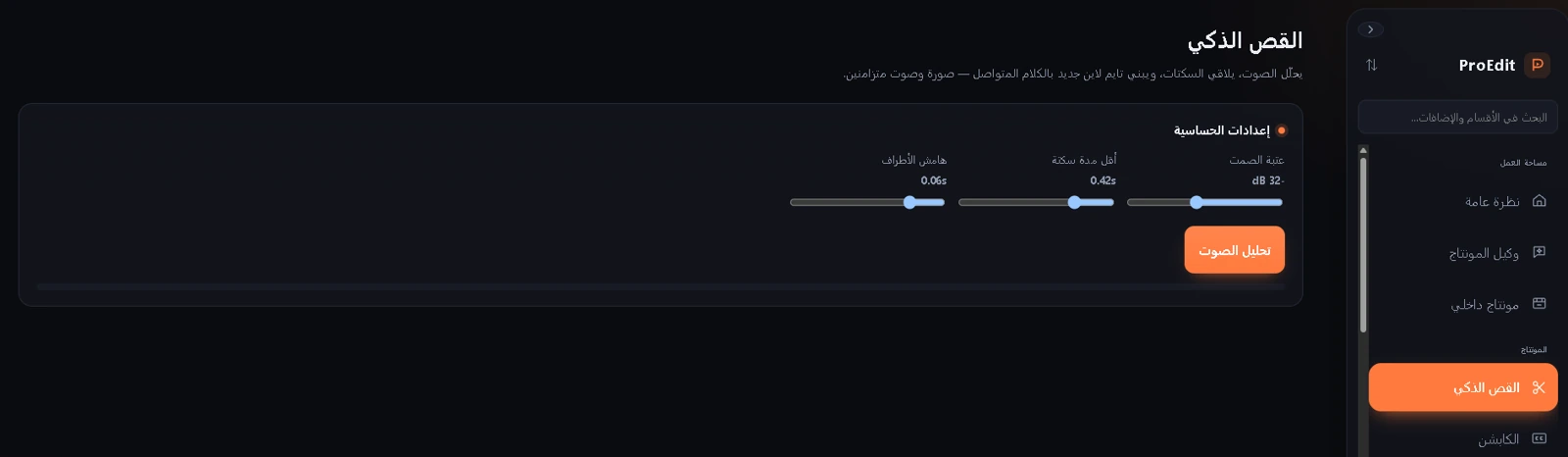
Set the silence threshold, minimum duration, and padding, then analyze the audio and review the suggested cuts.
 Enlarge app screenshot
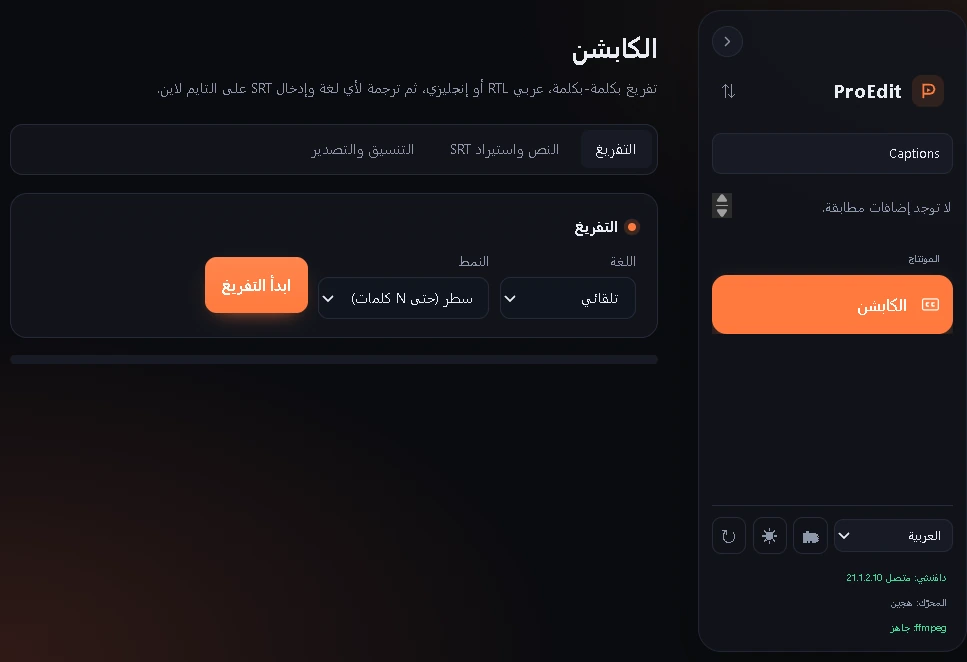
Transcribe speech, choose a language and style, and review timing before adding captions to the edit.
 Enlarge app screenshot
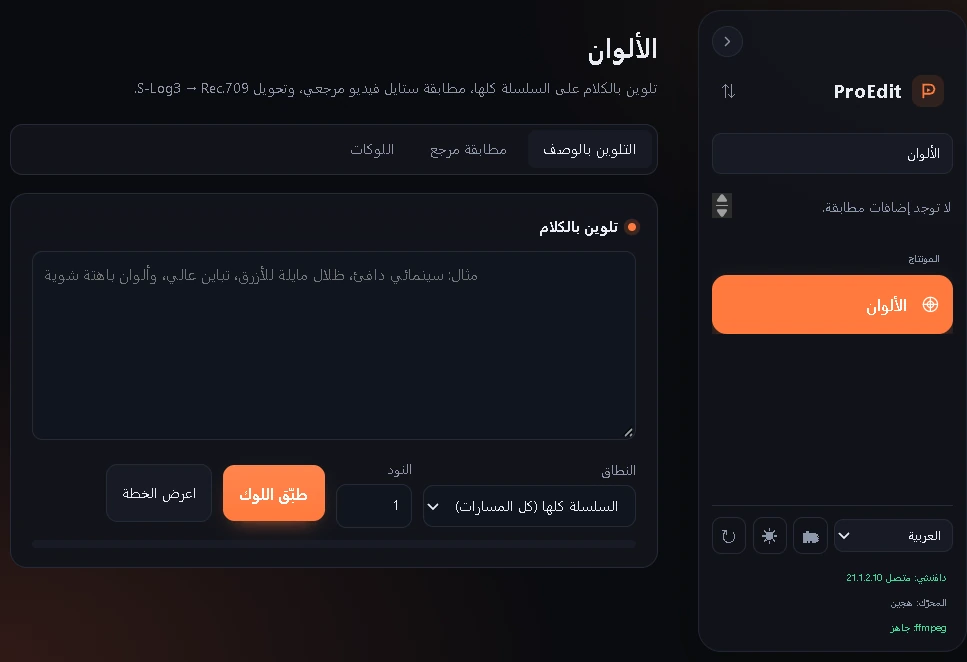
Describe the look or select a visual reference. Choose the footage range and review the grading plan.
 Enlarge app screenshot
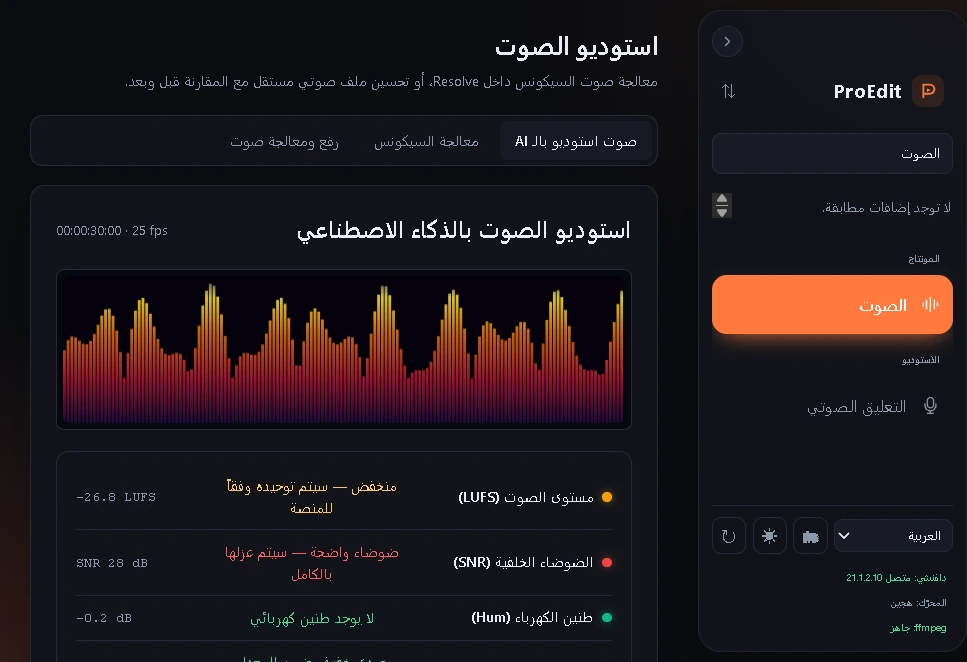
Review loudness, noise, and hum, then process sequence audio or a standalone file.
 Enlarge app screenshot
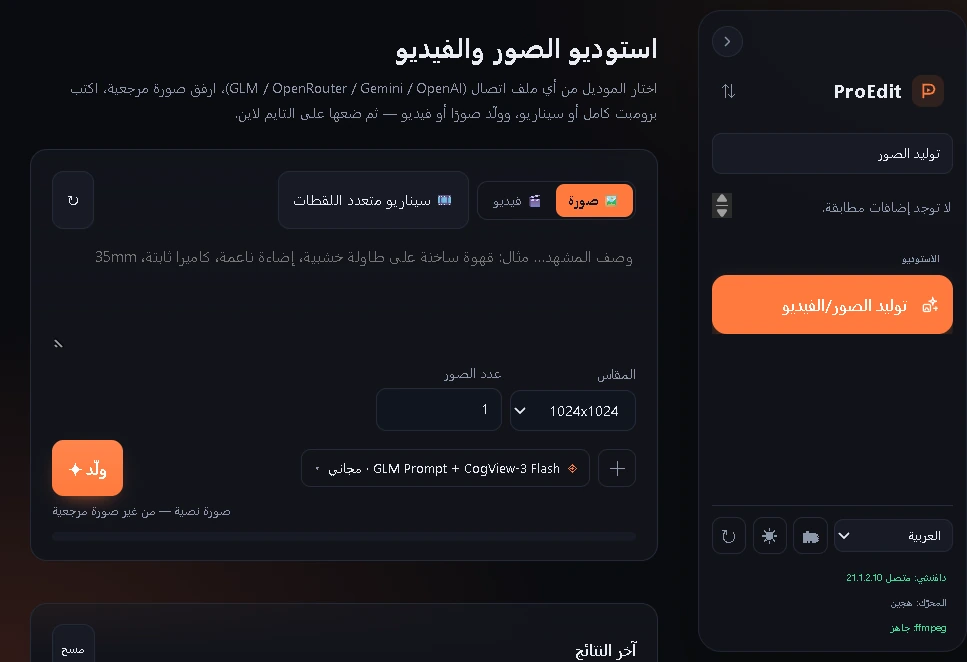
Select a generation model, add a scene description or reference image, and review the result before using it.
 Enlarge app screenshot
Isolate the subject in a portrait image or video with the dedicated controls for each format.
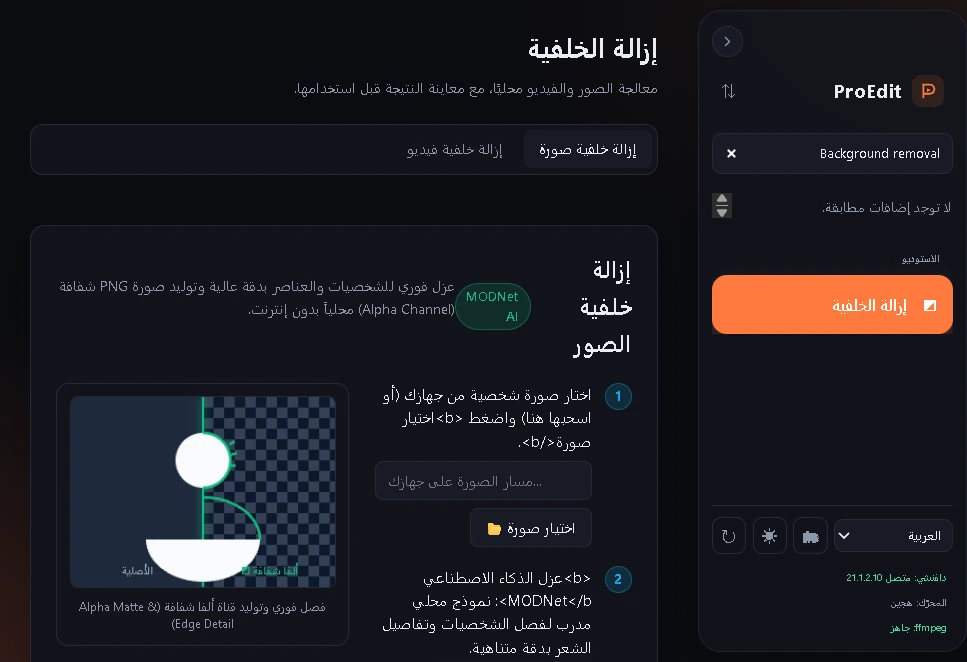 Enlarge app screenshot
Analyze scenes and select shots for an edit plan, or use the frame interpolation tab to smooth motion.
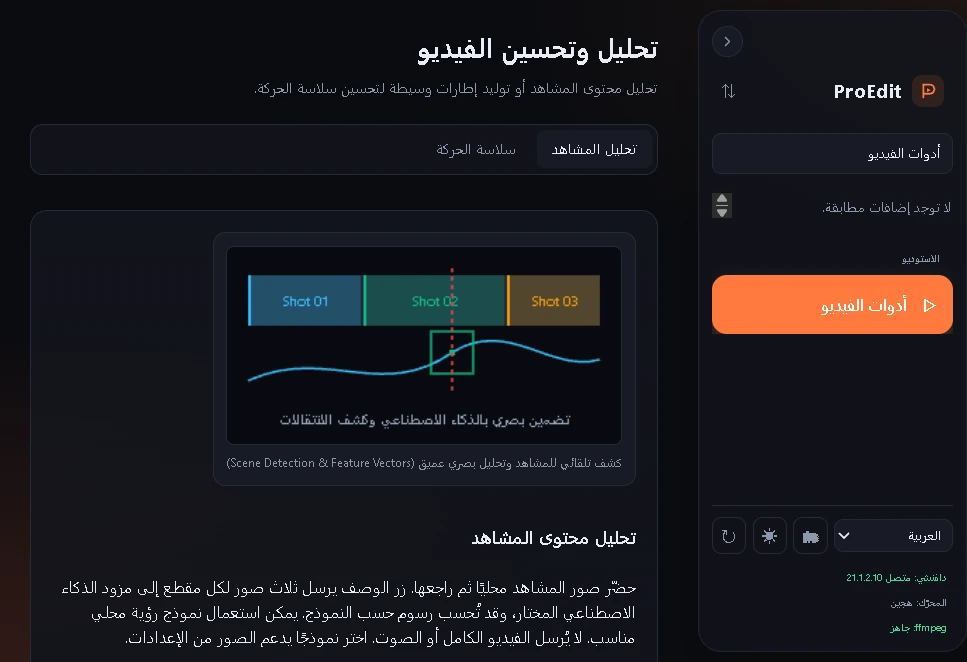 Enlarge app screenshot
Switch between keyframe curves, camera tracking, and graphics templates in separate tabs.
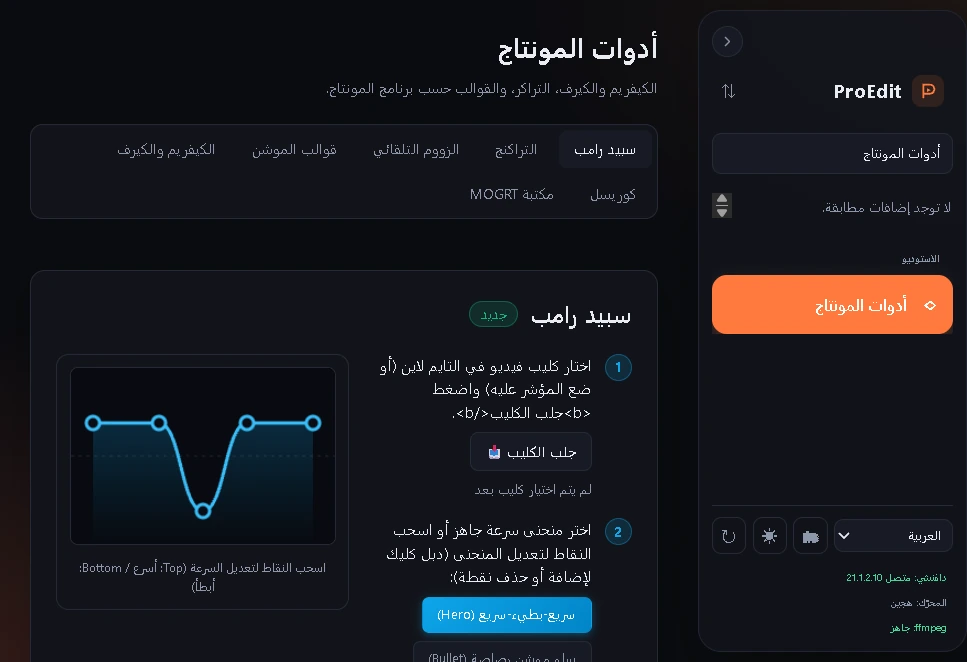 Enlarge app screenshot
Linear motion Eased motion
Browse local and online assets, animated titles, and compositions that combine several media types.
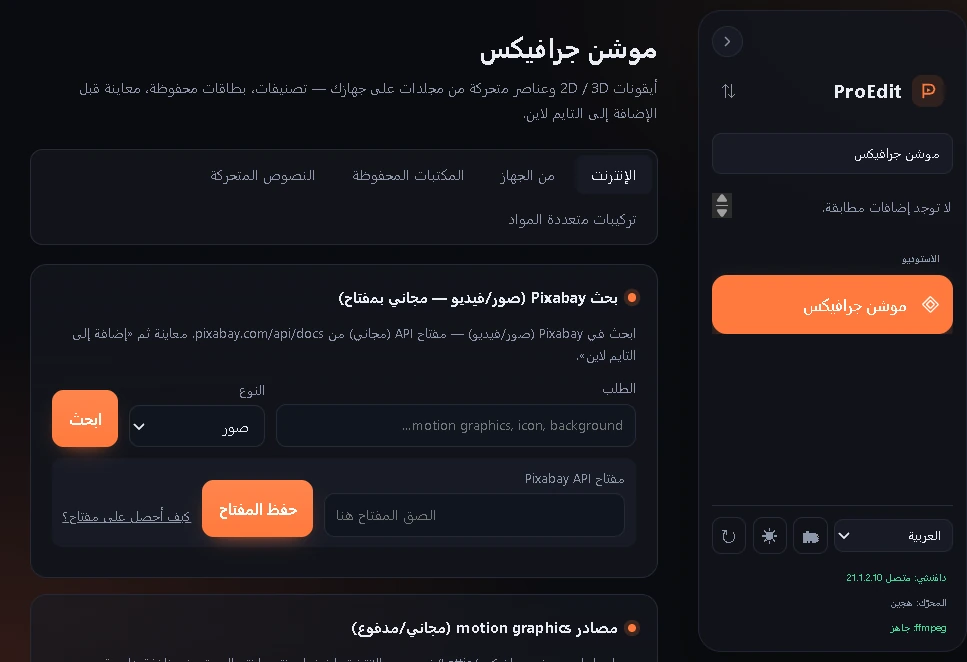 Enlarge app screenshot
Choose a voice provider, tone, and speed, then listen to a sample before generating the voiceover.
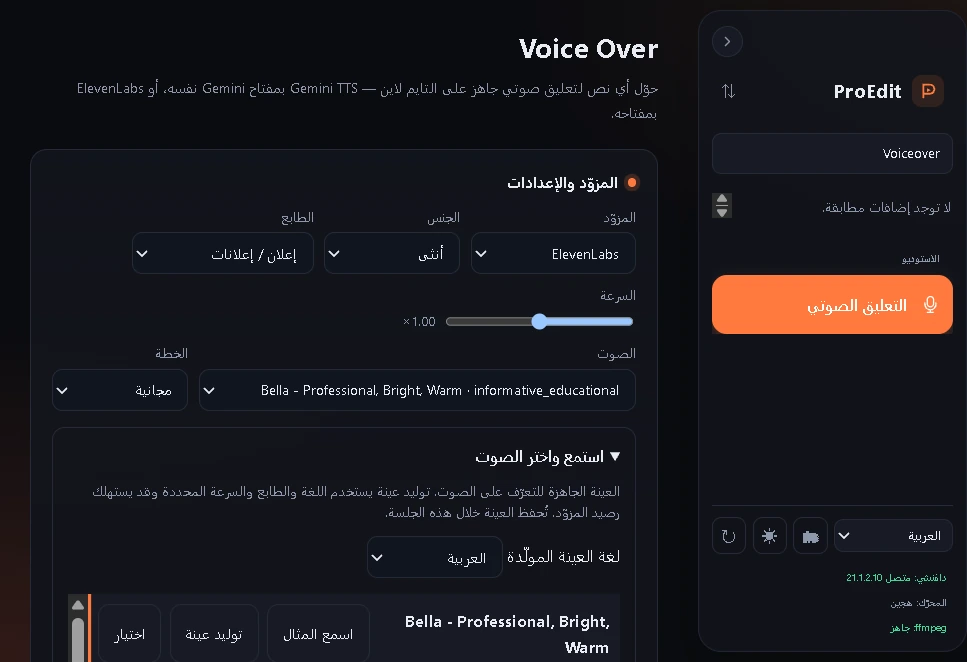 Enlarge app screenshot
Search for sound effects or browse your local library, then preview audio before adding it to the timeline.
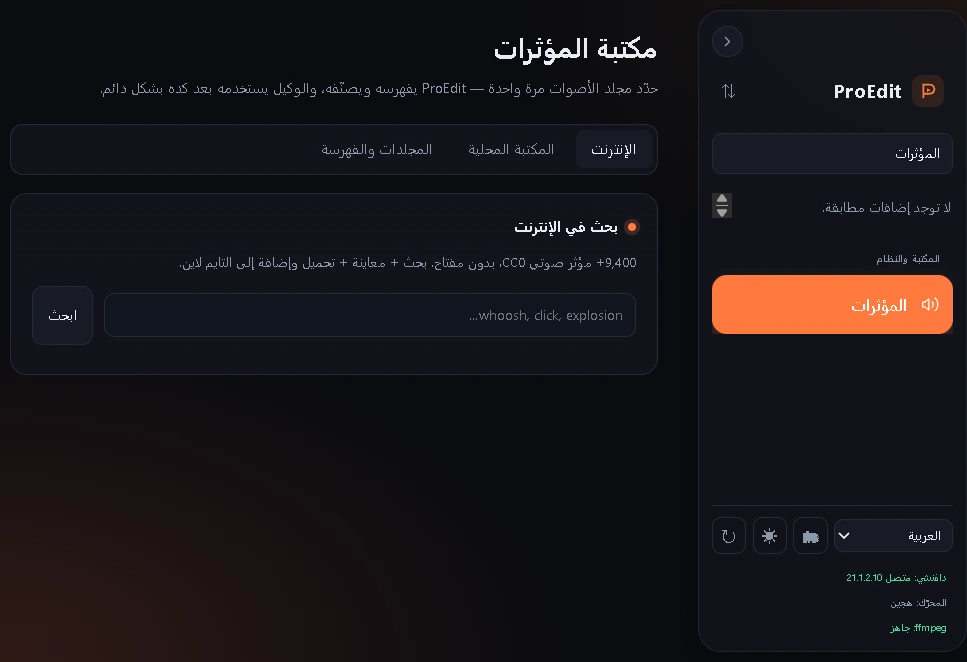 Enlarge app screenshot
Search for cutaway footage by media type and aspect ratio, or browse media on your device.
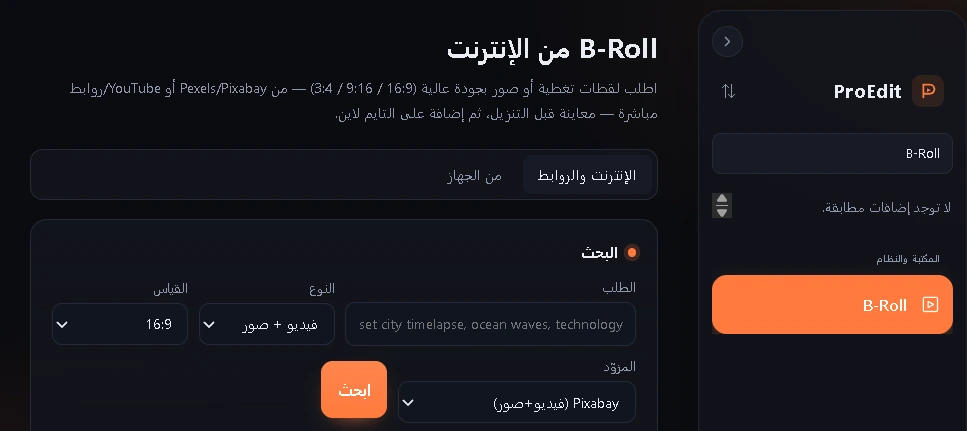 Enlarge app screenshot
Arrange text, shapes, and images in layers, then export to PNG or JPG.
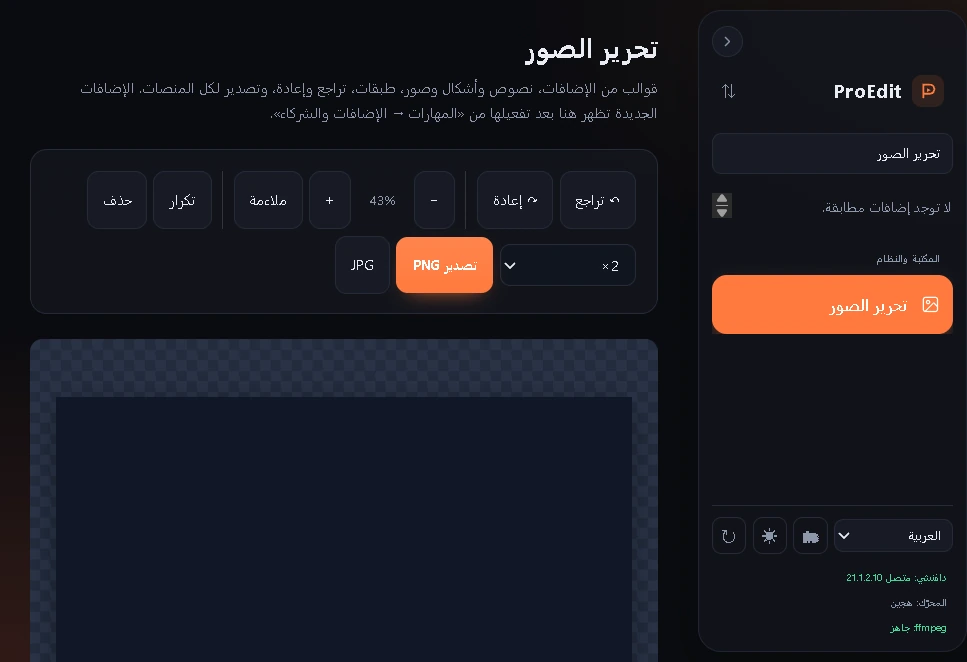 Enlarge app screenshot
Import skill files or bundles to extend the editing agent’s instructions and tools.
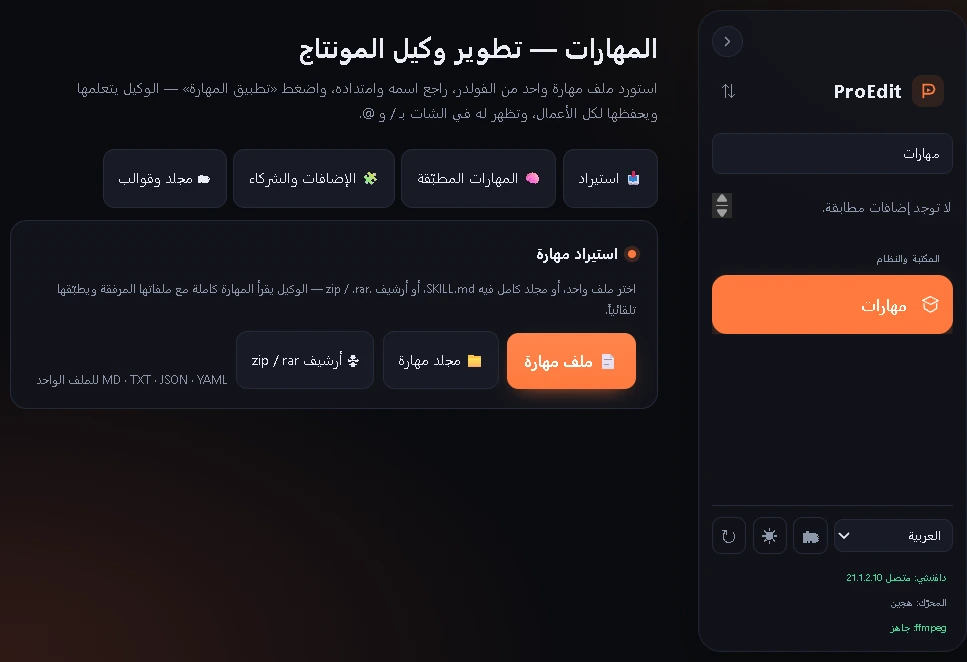 Enlarge app screenshot
Set the interface language and theme, and open the tabs for providers, models, storage, and engine tools.
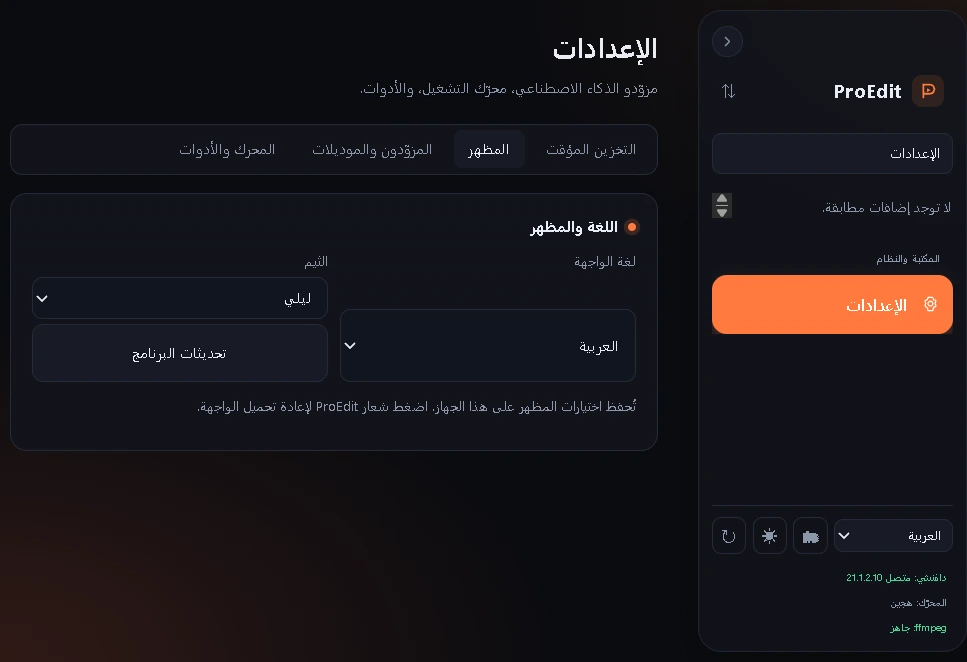 Enlarge app screenshot
Spend less time listening through long recordings to find pauses
Analyze the audio track to detect pauses. Add padding at cut points to avoid clipping the ends of words.
Core toolDetect repeated words and false starts, then remove the repetitions while keeping the preferred take.
AI AudioApply smooth 1.1× to 1.2× zooms between sentences or on keywords to add variety to short-form and YouTube edits.
Auto DynamicSplit long videos into separate shots on the timeline based on changes in camera framing and lighting.
Computer VisionArabic dialect support with frame-level timing
Transcribe Egyptian, Gulf, Levantine, Maghrebi, and Modern Standard Arabic with punctuation and word-level timing.
Multiple dialectsHighlight the current word in yellow or green using bold text, pop-up animation, and emojis based on the spoken words.
Trend #1Choose from glowing karaoke, classic cinema, neon, podcast, and minimalist transparent styles.
13 PresetsEmbed captions in the exported video or export editable text for DaVinci Resolve Text+ or Premiere Pro Essential Graphics.
Multi ExportGenerate LUTs and correct camera Log footage with text prompts
Describe the look you want, such as warm colors for a restaurant scene, to create a custom color grading preset for your project.
Prompt LUTUpload a reference image to match the shadows, highlights, and skin tones in your footage.
Image RefConvert flat Log footage to Rec.709 while preserving skin tones.
DCTL & LUTDetect faces and gently smooth skin while preserving eye and hair detail, with automatic masking.
Facial BeautyWork in your preferred editing environment
Apply Smart Cut, captions, and color adjustments to your project and review the results in Resolve.
DaVinci 18/19/21Use the Premiere Pro panel to run Smart Cut, import audio tracks, and create overlays without restarting the application.
Send motion graphics, 3D captions, and camera animation to After Effects as editable layers.
AE CompsCut, assemble, and export video in the lightweight built-in editor without installing another editing application.
Built inChoose a plan and the sections you need, then sign in with your account email.
View plans and pricingThis is an automated assistant. Avoid sharing account or payment details.
Contact support on WhatsApp